
A picture that arrives as a belief
Compare EPIC and EPICS with modern codecs, watch detail arrive first, and explore images that grow, report uncertainty, and survive repeated saves.
Work in progress. EPIC and EPICS are experimental image codecs. This showcase explores their visual results and broader capabilities through recorded reconstructions, file sizes, and working examples.
A red shape appears beside a yellow one. A few more bytes arrive. The shapes acquire beaks. Soon you can tell that you are looking at two macaws, although their feathers are still a soft suggestion.
At what moment did the picture arrive?
For someone choosing a holiday photograph, recognizing the birds might be enough. For someone examining the fine lines around an eye, much more is needed. The receiver has a useful picture long before it has every detail the file can supply.
That interval is an inviting place to explore Epistemic Physics. A compressed message gives us information about an image. The information can support a displayed reconstruction while leaving many details unresolved. We can ask what the receiver should show, what remains uncertain, and which next pieces of the message would matter for a particular task.
EPIC and EPICS are working experiments in this direction. A codec is a pair of procedures: an encoder turns an image into a file, and a decoder reconstructs an image from that file. Here we will stay at the receiving end and look at what comes out, from fine feather lines to tiny letters and smooth gradients of color.
Give the picture a byte budget
Choose a task before choosing a file. Do you want to recognize the bird, inspect its eye, or count the fine lines in its feathers? On a text card, do you need to recognize the bars or read the smallest letters?
The gallery brings together photographs of macaws, mountains, and sailboats with screen text, interface icons, textures, and color gradients. Its quality levels select actual recorded files. EPIC contributes four levels for each of its scenes; the EPICS selections draw from the S2 and S3 experiments, with between two and eight levels per scene. Comparisons include WebP, AVIF, JPEG XL, and HEIC, alongside JPEG.
Begin with Settings text · EPIC and try its smallest file. Look at a small gray letter, then switch the comparison format and step through the quality levels. Try Control icons · EPIC against AVIF, following the curved edges and translucent background. For a different challenge, open Two macaws · EPIC and predict what the next level will reveal in the feathers.
Explore the EPIC and EPICS image gallery
A feather, a tiny letter, a line of rigging: different details ask different things of an image. Explore 19 scene choices and 224 recorded comparisons, then watch three pictures arrive a few bytes at a time.
Settings text
EPIC 0.1 showcase, October 2026Follow a letter through the quality levels, then compare the small gray text.
256 × 256 detail preview. File sizes and scores describe the full 1332 × 1268 source image. Both sides show the same crop.
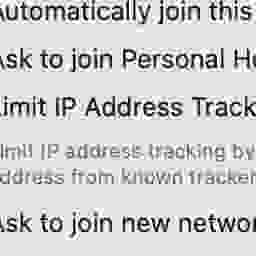
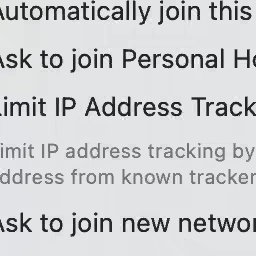
Drag the divider or use its arrow keys to compare the same pixels.
Recorded whole-image measurements for EPIC 0.1 versus JPEG. Higher PSNR and SSIMULACRA2 are better.
Compare JPEG across 4 recorded levels
| Level | EPIC Size · PSNR | JPEG Size · PSNR |
|---|---|---|
| 21.0 kB 36.94 dB | 21.8 kB 26.52 dB | |
| 43.4 kB 43.16 dB | 42.3 kB 31.49 dB | |
| 83.2 kB 46.50 dB | 83.4 kB 36.20 dB | |
| 159.0 kB 47.83 dB | 155.2 kB 44.65 dB |
PSNR measures average squared pixel error on a logarithmic scale. These EPIC records provide PSNR. A perceptual score was not recorded for these previews. The connecting lines join saved results; intermediate reconstructions are not inferred.
In this recorded pair, EPIC has higher pixel fidelity in a smaller file. Follow the same detail as you move between levels.
This work in progress presents selected visual comparisons and measured strengths of EPIC and EPICS. File sizes belong to the encoded images; the viewer uses lossless display copies. Recorded measurements and image credits.
Open the EPIC and EPICS gallery in the playground.
Use the paired view to inspect both reconstructions together, or move the wipe across the picture to reveal one in place of the other. Enlarge the view to 2× or 4× and move around: the two sides stay on the same region. Bring in the original when you want to inspect a particular edge or texture.
The byte counts belong to the encoded image files. A kilobyte, written kB here, is 1,000 bytes. Bits per pixel, or bpp, divides the file’s total bits by the number of pixels it encodes; one byte contains eight bits. These quantities let us compare how much information each file spends on its image.
EPIC’s gallery shows 256 × 256 detail previews from larger photographs and screen images. Its byte counts and quality scores describe those whole images, whose dimensions appear beside the viewer. The EPICS examples encode the displayed 256 × 256 or 512 × 512 source images. Within every comparison, both sides show the same source and region. The website serves saved previews for inspection; their download sizes are separate from the codec file sizes displayed beside them.
Catch the moment of recognition
Now switch to an arrival replay. There are three recorded EPICS journeys to try: the macaws, the tiny text card, and a stone building with shutters. Advance through the received bytes and watch for the first moment your chosen task becomes possible.
Changing quality and watching an arrival are two different experiments:
| What you change | What stays fixed | What to look for |
|---|---|---|
| The completed file’s quality level | The source image | What a larger file preserves in the final reconstruction |
| How much of one file has arrived | The chosen encoded file | What becomes usable before its last bytes arrive |
Three different milestones appear in this little download: something becomes recognizable, enough detail arrives for your task, and the entire file arrives. Those milestones need not coincide.
The last one also deserves a careful name. These are lossy files: the encoder has accepted some difference from the original in exchange for a smaller file. “100% received” means that all the information in this particular file has arrived. You can compare its completed reconstruction with the original and still find differences.
Let the next bytes reveal detail
The order of arrival can be as interesting as the final picture. If you have received only a small part of a file, which information would you like those bytes to contain?
EPICS has a detail-first streaming experiment that brings useful detail into view earlier. Compare its recorded arrival with the earlier row-by-row order, pausing both at the same number of received bytes. Instead of judging only the finished files, watch what each stream makes available along the way.
Begin with Flowers and shutters at 9,247 bytes. Look for the window’s lines and the shapes among the flowers. Step forward and backward, or let the replay run. Then try the macaws or the mountain scene. The viewer can also put progressive JPEG beside EPICS, with each stream’s actual received bytes shown.
What else can an image file do?
Watch detail arrive across a photograph, then explore smaller downloads, visible uncertainty, and steadier colors through repeated saves. These EPICS examples replay recorded results.
Let the next bytes reveal detail
Fine information can arrive throughout a picture while the download is still growing. Compare this detail-first view with the earlier row order at the same byte budget.
Flowers beside a shuttered window. Watch the petal edges, leaves, and shutter slats.
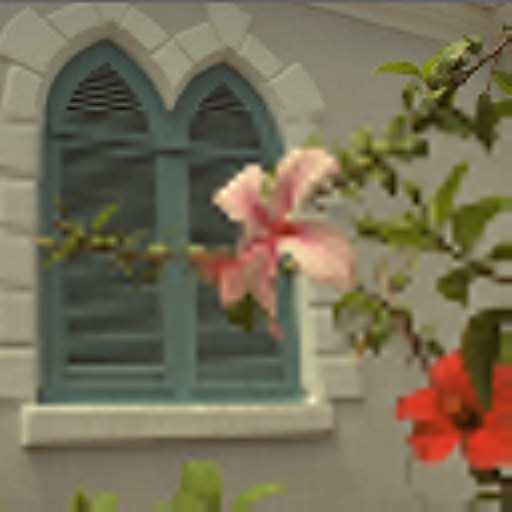
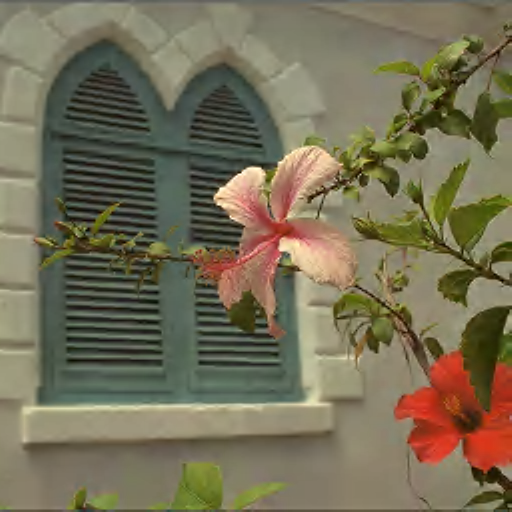
Drag the divider or use its arrow keys to compare the same pixels.
Each pane shows its actual received bytes. Complete files stop at their own size. The two EPICS orders finish with identical pixels; this experiment changes what becomes visible along the way.
Don Cochran, Kodak Image 7. Recorded October 2026. Byte counts describe the research files; these pictures replay their saved outputs. Recorded measurements.
Open the capability exhibit in the playground. Its other tabs explore display size, uncertainty, and repeated saves. The detail-first replays use saved outputs from actual recorded file prefixes; the capability summary gives their measurements and the additional EPIC features described below.
More choices for the receiver, and the editor
A final picture is only one thing an image file can offer. The EPIC and EPICS experiments also explore how a picture travels, changes, and keeps useful information around it.
Fetch the size, or the region, you need
A phone displaying a small thumbnail has little use for all the detail a large monitor can show. In the exhibit’s Choose a display size experiment, a 64 × 64 picture is available after 7,316 bytes of a 45,344-byte file. At 18,327 bytes it can supply a 128 × 128 picture. Each small picture exactly matches the codec’s same-size view after the whole file has arrived. Enlarge the display and more of that same file can follow.
EPIC also has a working prototype that requests a chosen region of a large image. In its recorded trials, a window covering one sixteenth of the picture became complete after 13% to 36% of the stream. Imagine opening a map, then spending the next bytes on the street you want to read.
Keep an editable original
Rotate a photograph, crop it, adjust its color, save it, and change your mind tomorrow. EPIC can retain the original compressed picture together with reversible edits. A recorded session of six edits and six saves added 174 bytes. A local retouch left every pixel outside its rectangle unchanged; removing the retouch restored the previous image exactly.
This is useful when one photograph needs several destinations: a square avatar, a wide banner, a brighter print. A later collection stored each crop in 20 additional bytes, with all 120 tested derivative views reproduced exactly.
Ordinary repeated saving is another part of the story. The exhibit’s Save again experiment follows the same picture through one, two, five, and ten saves, beside a recorded AVIF comparison. Watch the colors as well as the fine detail.
Offer a public view and a private view
An EPIC prototype can show a veiled public picture and retain a protected region for someone holding the key. In the recorded checks, the key holder recovered that region exactly. Changing only the concealed source region left the exported public file byte for byte identical, and an incorrect key was rejected.
For a family photograph or a document illustration, that makes the choice of audience part of the image’s behavior. The private view and the exported public view have distinct roles, even when they originate in the same picture.
Bring existing JPEGs along
What about a photo library that already exists? EPIC can store an existing JPEG more compactly, offer progressive previews, and restore the original JPEG file byte for byte. Its recorded JPEG suite used 13.8% less space on the tested Kodak sets and 19.5% less on the phone-camera set. Exact restoration passed the 56-file suite, additional edge cases, and three previously unseen camera files.
The archive still has the original file to give back. Meanwhile, the viewer can begin with a small picture.
Carry richer images, and reproduce the same view
The research format also has working examples for animation, camera raw data, exposure brackets, image stacks, and volumes. 16-bit imagery gives each channel up to 65,536 possible values instead of the 256 of an ordinary 8-bit channel. A volume arranges values in three dimensions, as a stack of image slices might.
In the recorded animation tests, thumbnails of every frame arrived after 14% to 28% of the bytes, and all 151 completed frames reproduced exactly. The scientific-image examples include lossless and bounded-error storage: a chosen bound specifies the largest allowed difference from an original sample, and the tests check each sample against it.
Reproducibility matters when these files move between devices. EPIC’s platform checks produced 512 matching views on a Linux desktop, a Windows tablet, in a browser, and on an Android phone. Those views include pictures, previews, edits, and uncertainty maps.
A photograph, a message, and a set of possibilities
Suppose the unknown original image is called
Read the vertical bar as “given”: a distribution over possible images, given the message. As more information arrives, the receiver can update that distribution. We are describing the inference problem here; this notation does not say that the demo stores a separate whole photograph for every possibility.
Imagine a dark horizontal mark in the early preview. It could be one feather edge, two neighboring edges blurred together, or a patch of shadow. The display must choose pixels even while those alternatives remain unresolved.
A familiar choice is the conditional mean, the average value under the model after taking the message into account. At one pixel, write the unknown brightness as
Here
This gives us a useful reason for an average-looking reconstruction. If a boundary might lie a little to the left or right, averaging its possible positions can produce a soft edge. The softness can reflect unresolved location. It need not mean that the original scene had a soft edge.
The same issue appears outside photography. Average two possible routes through a city and you may get a line through a building. Average two possible dates for an event and you may choose a day on which neither event happens. An average answers a particular question about a distribution; other questions may need more of that distribution.
The displayed picture and the remaining uncertainty
At each location we can ask two different questions:
| Question | A quantity that answers it | What it helps us do |
|---|---|---|
| What brightness should I display? | A reconstruction, such as a conditional mean | Draw one picture now |
| How spread out are the remaining brightness possibilities? | A variance or standard deviation | Notice where more information could matter |
| How far was this particular reconstruction from the source? | A measured reconstruction error | Evaluate the result when the original is available |
The last row is available to us in a codec experiment because we kept the original image. A receiver ordinarily has to work without that comparison. Its estimate of uncertainty is therefore a prediction that can be checked later.
For example, a decoder might report an interval intended to contain the unknown channel value with 90% probability under its model. A channel is one of the red, green, or blue numbers used to represent a color. Across many reconstructed channels, we can count how often those intervals contain the corresponding original values. This check is called coverage.
In one recorded EPICS evaluation on 12 photographs, intervals labeled 90% covered 91.8% of the pixel-channel errors across the compression settings tested. That is a useful result to inspect, because a displayed percentage has met an external check. It is still an aggregate result under a particular model and test; it does not mean that each image is “91.8% correct.” The recorded summary accompanies the demo.
This extra information gives us a richer image viewer. Inspect an uncertainty map and ask, “How much of this texture has the message settled?” Compare it with the actual error map to see where its prediction worked. The two maps answer different questions: one reports what the decoder expects, while the other uses the original image to check the result.
An uncertainty interval and a maximum-error bound also serve different purposes. A 90% interval describes a probability under a model. A bounded-error file promises that each reconstructed sample stays within a chosen tolerance. EPIC has tested both kinds of output, in the modes designed for them.
The same picture, different questions
Look again at the macaws, the text card, and the gradients. The bird becomes recognizable while some of its small detail is unresolved. A single blurred character can still make a line of text unusable. On a smooth gradient, a visible band can be the detail that catches your eye.
This is why a file size alone cannot tell us how successful a reconstruction is. We need a task or a measure of quality as well.
One numerical measure rewards staying close to the original red, green, and blue values. Another pays attention to visible structures and artifacts. A person may care most about a face, a word, or the texture of feathers. Looking at several aspects helps us describe what a successful reconstruction preserves.
The gallery combines selected measured strengths with visual comparisons against modern formats. PSNR, the peak signal-to-noise ratio, is derived from average squared pixel error. A larger value means a smaller error; the score is expressed in decibels, a logarithmic unit. SSIMULACRA2 is a perceptual quality measure designed to track visible differences. Higher values are better for both measures.
Give AVIF particular attention on the screen examples. A score over the entire image can prefer one reconstruction while you prefer the letter shapes in another. Look for readable strokes, colored edges, smooth areas, and small details that remain distinct. The viewer includes AVIF pairs regardless of which side has the higher score, so you can make that comparison yourself.
Some AVIF entries are labeled 4:4:4: they keep color information at the same spatial resolution as brightness. The 4:2:0 setting used in the repeated-save experiment keeps color at half the resolution in each direction. These are different choices within AVIF, so the labels stay with their examples.
The EPIC showcase records PSNR. The EPICS selections record both PSNR and SSIMULACRA2. Each view identifies its codec and the image to which its measurements apply. For example:
| Recorded example | EP result | Paired format and result |
|---|---|---|
| Settings text, EPIC | 20.96 kB, PSNR 36.94 dB | JPEG XL: 21.18 kB, 28.05 dB |
| Small web text, EPIC | 51.62 kB, PSNR 29.89 dB | WebP: 51.91 kB, 28.38 dB |
| Control icons, EPIC | 73.34 kB, PSNR 47.50 dB | AVIF: 76.06 kB, 46.88 dB |
| Tiny text, EPICS S2 | 9.91 kB, PSNR 45.69 dB | WebP: 9.82 kB, 37.72 dB |
The first three pairs improve the squared-error measure while using fewer bytes. The last pair uses similar space and also improves the recorded SSIMULACRA2 score, 90.36 versus 88.80. Bring those measurements back to the thing you want to see: the line of a feather, the boundary of a colored bar, or the small curves that make a letter readable. The recorded gallery data contains the exact file sizes and scores.
Try several levels instead of stopping at one impressive pair. At a tiny budget, a useful silhouette may be the achievement. Farther up, the interesting differences can move into texture, lettering, and smooth transitions. A quality comparison becomes much easier to understand when you can follow those changes through the same scene.
An image can answer before it is finished
Picture a wildlife camera with an unreliable connection. One question is whether there is a bird in the frame. Another is which species it is. A third is whether a small mark on its leg is an identifying band.
Each question has a different appetite for detail. A receiver that preserves what it knows, what it has only provisionally reconstructed, and where more information could change the answer has more choices about what to display and what to request next.
The same pattern runs through ordinary belief. We can have enough information to act on one question while remaining open on another. We can distinguish a useful estimate from the spread of possibilities around it. And we can let new evidence refine a picture that was already useful.
Try the download once more with a particular task in mind: recognize a macaw, count the bars, read the smallest letters. Stop as soon as you think you can answer. Then receive the rest and see whether your answer survives.
Image credits and further exploration
The photographs come from the Kodak Lossless True Color Image Suite, with individual photographers credited beside their gallery entries. The opening macaws are from Kodak Image 23, by Steve Kelly. The text, textures, and gradients are synthetic images from the codec experiments.
The EPIC screen details come from ScreenSpot-v2, whose dataset card declares Apache-2.0. The gallery displays public interface details from the recorded comparisons.
The gallery combines the October 2026 EPIC 0.1 showcase with EPICS S2 and S3 results recorded on October 23, 2026. Arrival replays use saved EPICS S2 reconstructions. The site displays those outputs without running an encoder in your browser.
For the distinction between an estimate and the belief around it, continue with A belief is more than a number. For another connection between information and compression, try A coin, a magnet, and a learning machine.